Task guide / Steam Demo · September–October 2026
How to expand your ship with Hull Construction
You no longer need to wait for a Shipyard to expand. Enter Hull Construction while flying: travel pauses and a random hull block appears. Choose its position before committing. Blocks cannot be rotated or removed, must keep the Airlock and Engine clear, and only open new module construction next to an already completed module.
Updated 2026-10-29 · Steam Demo · September–October 2026
Follow these steps
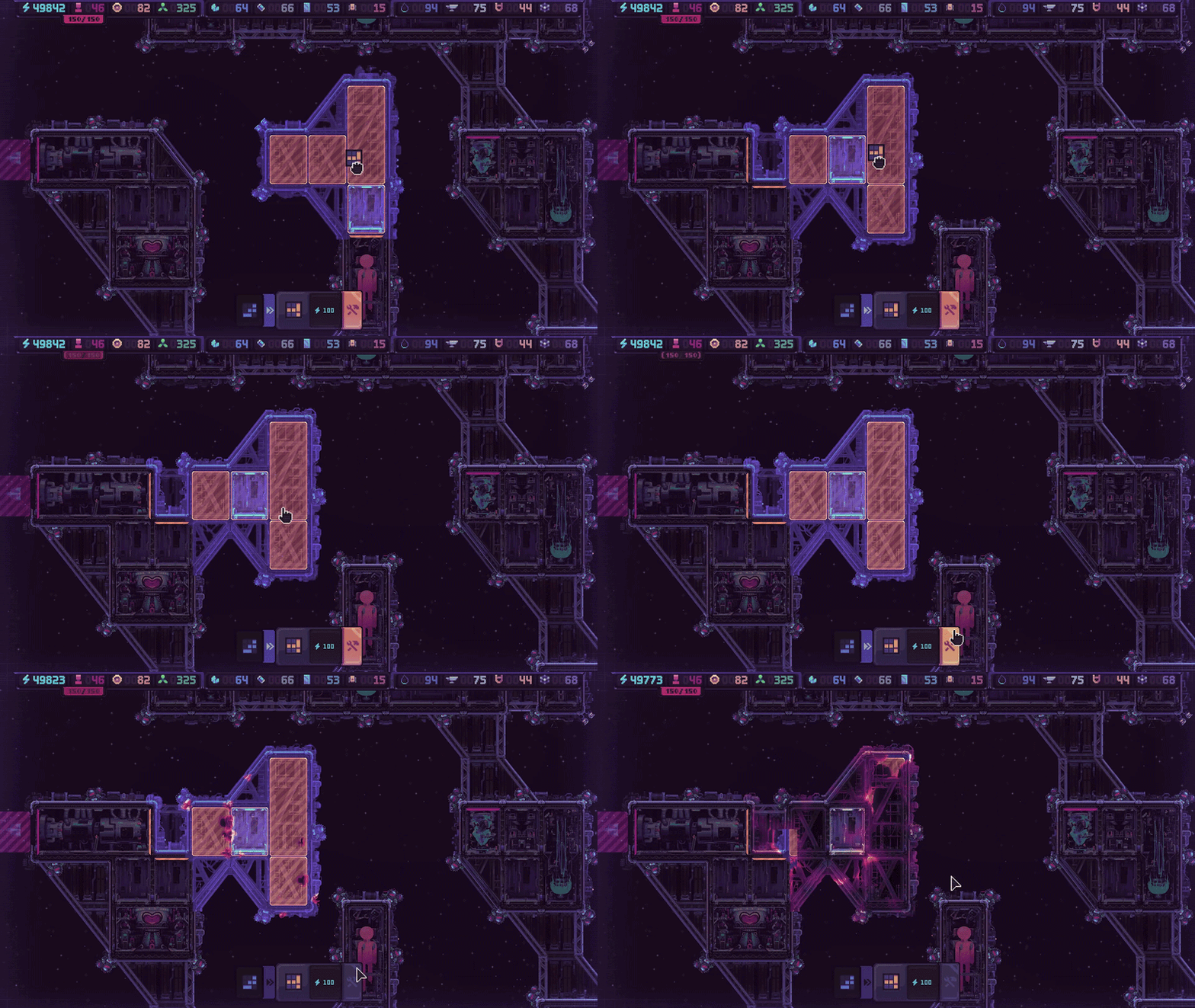
While flying, click the crossed-tools tab at the lower left of the screen: it is the rightmost of the three angled ship-view tabs, beside the bar-chart Info Mode tab. The Demo trailer shows this click opening Hull Construction and pausing flight.
 Enlarge ↗
Choose the rightmost crossed-tools tab to enter Hull Construction. The pointer is beside that control in the official Demo trailer. Open Hull Construction during flight. In the official Demo example below, the offered block is highlighted orange, with its resource cost and skip control below it. Flight pauses while you decide.
 Enlarge ↗
Official September Demo footage: the offered shape, placement preview and controls. Tap to enlarge. Check the shape and cost before placing. It cannot rotate. The October 22 devlog describes 15 shapes in random order, without repeats until the set cycles. Costs begin with Energy and later use Plasteel; skipping an unsuitable shape also costs resources. Check the displayed price before choosing Build or Skip.
Keep both the Airlock and Engine clear, then compare the open spaces with the module kits you actually have. Once a hull block is placed it cannot be destroyed, so spare room alone is not enough: it must be useful room.
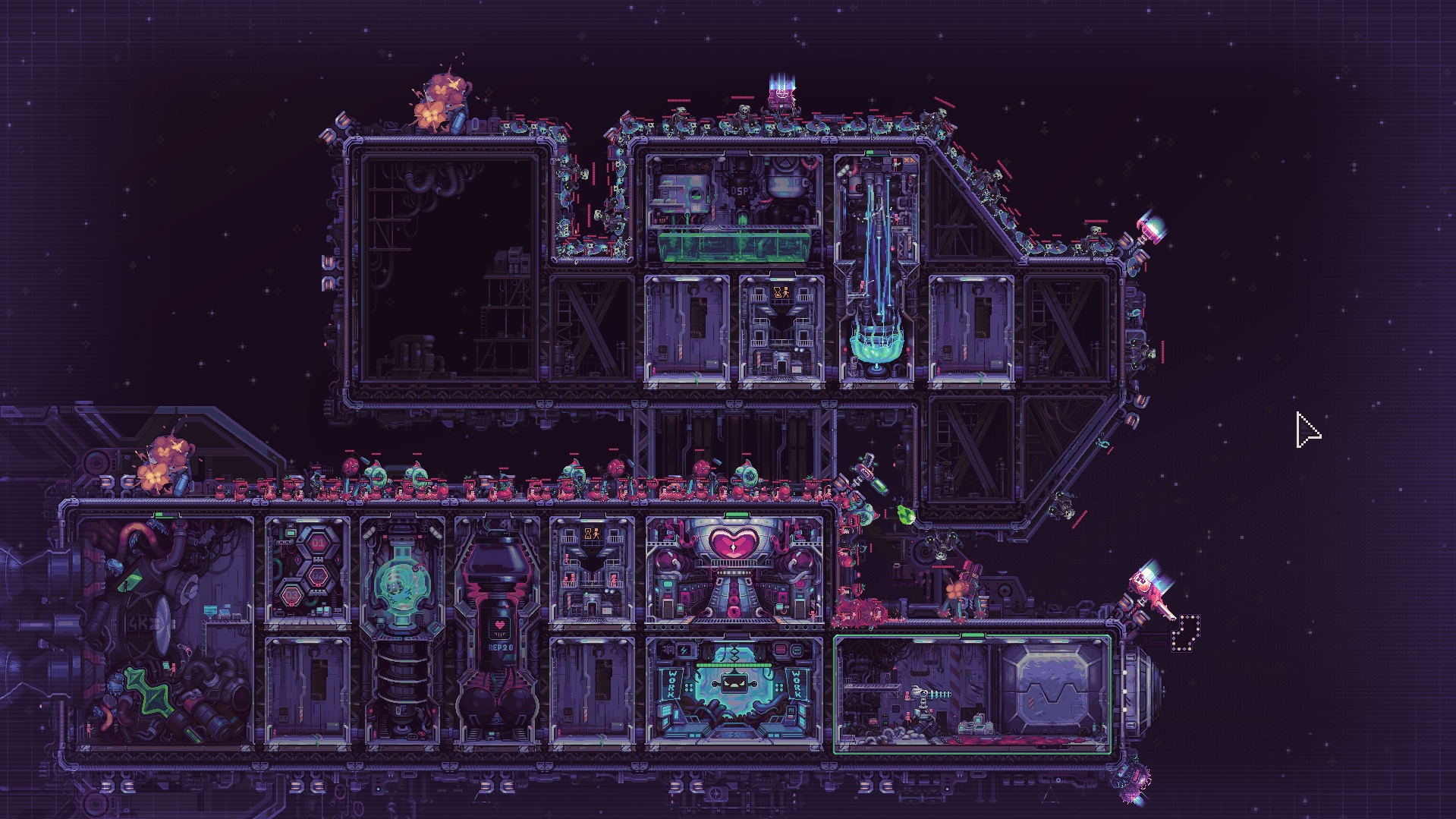
Before you commit a hull block Check Reason Airlock and Engine remain accessible Blocking either is not allowed. Shape and orientation fit Blocks cannot rotate or be removed. Module kits fit the new space The shape limits which modules you can place. A completed module borders the next slot That adjacency unlocks construction in the empty slot. For a compact economy, group modules where adjacency bonuses and shorter crew travel help. The developer’s compact example below shows modules packed together; it is an example of the tradeoff, not a mandatory blueprint.
 Enlarge ↗
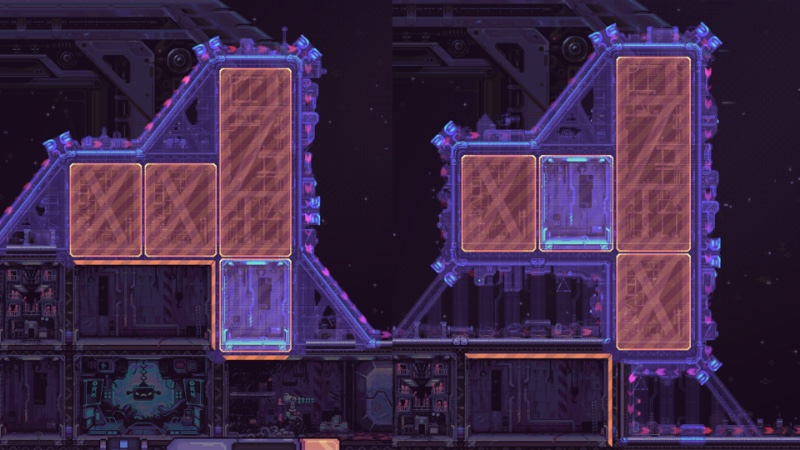
Compact layout from the October 22 Hull Construction devlog. Adjacency and short crew travel favor this approach. For more time under turret fire, consider an offset block or gap. A block a short distance from the hull can stand on stilts and leave an alien corridor. Place long-range turrets on exposed corners or open stretches; use small enclosed stretches for short-range turrets. The longer-route example below makes the spatial difference visible.
 Enlarge ↗
Longer-route example from the same official devlog. Hull shapes affect the route; decorative outer hull details do not. Review the path to the Airlock before leaving construction. Drop pods spread over most of the ship’s exterior; the devlog places bosses at the far-left, uppermost ship position, furthest from the Airlock. More travel space can separate arriving threats, while an overly spread economy makes crew walk farther.
How to tell it worked
The hull block stays in the chosen position. To use its empty slots, finish a neighboring module first; that is the stated condition that makes the next slot available for construction.
If it does not work
If the offered piece does not suit your kits or route, compare its paid skip cost before placing it. A placed hull block has no demolition recovery. If a new slot is unavailable, check for an adjacent completed module. Returning from an older Demo? Re-enable the tutorial in General settings to receive the new Hull Construction explanation.