Shipbuilding / Steam Demo · September–October 2026
Module Slots
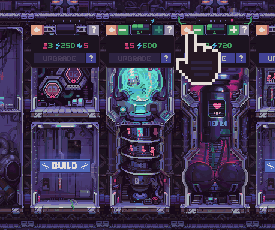
An empty Module Slot becomes available for construction only when a completed module is next to it. Adding a hull block creates empty space; it does not bypass that rule. A neighbor that is still being built does not yet meet the completed-module condition.
Updated 2026-10-29 · Steam Demo · September–October 2026
 Enlarge ↗
Module Slots at a glance
| Source of new slots | Empty cells in Hull Construction blocks |
|---|---|
| Construction condition | A completed module next to the empty slot |
| Unfinished neighbor | Does not yet satisfy the completed-module condition |
| Space planning | The available space must suit the module kit you want |
How new slots become available
Hull Construction adds blocks containing empty module slots. Start from a slot beside a completed module, rather than treating the entire new extension as ready for module construction. After another module is complete, reassess the slots next to it.
Match the slot to your next module
Choose the hull shape with your module kits in mind. The October devlog warns that a layout can leave too little suitable space for the modules you want. Check the actual empty cells before spending resources on an extension.
Three checks when a slot seems unusable
Check the neighboring construction and the space you are trying to use before adding more hull.
| What to check | What to do |
|---|---|
| Only new hull is beside the slot | Look for an actual completed neighboring module; empty hull alone is not enough. |
| The neighboring module is unfinished | Let construction finish before expecting it to unlock adjacent slots. |
| The planned module does not suit the space | Compare the kit you want with the empty cells before adding more hull. |
See where the new cells come from
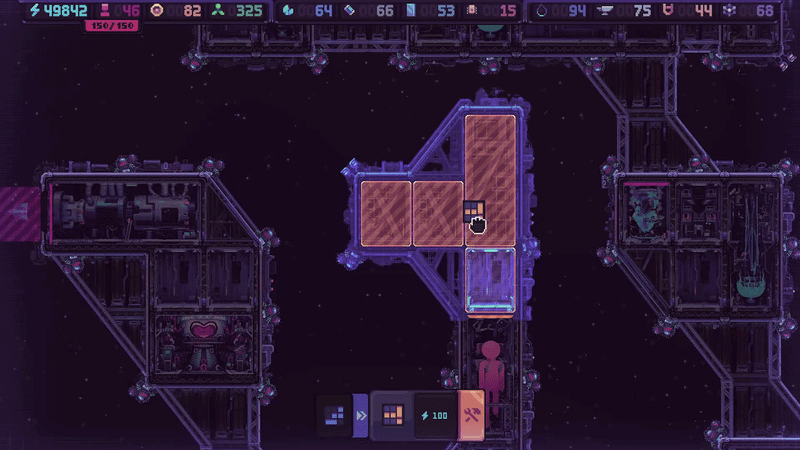
The orange cells are the offered hull space. Plan how a chain of completed modules can reach the extension, as well as whether the desired module fits.
 Enlarge ↗