Task guide / Steam Demo · September–October 2026
How to move or demolish a turret
Select a turret, open its question-mark (?) panel, then use the four-direction arrow at the bottom to move it. Choose a new hull position and allow the relocation and subsequent downtime to finish. Moving is free in the September Demo. Modules still cannot move; demolishing a module or turret returns all construction resources, but destroys the kit.
Updated 2026-10-29 · Steam Demo · September–October 2026
Follow these steps
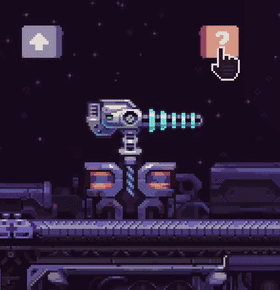
Select the turret you want to relocate. Find the small ? control to the right of its upgrade arrow. It is easy to overlook because the controls sit above the gun rather than in a permanent side panel.
 Enlarge ↗
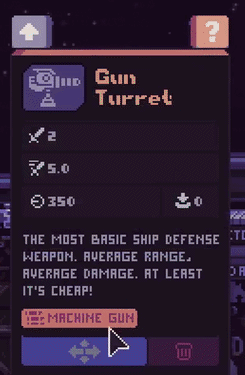
The ? above the selected turret opens the extra controls. September Demo footage. Open ?. At the bottom of the Gun Turret panel, choose the four-direction arrow on the left for Move. The trash-can icon on the right is demolition. Choose the action deliberately: demolition will not give back your kit.
 Enlarge ↗
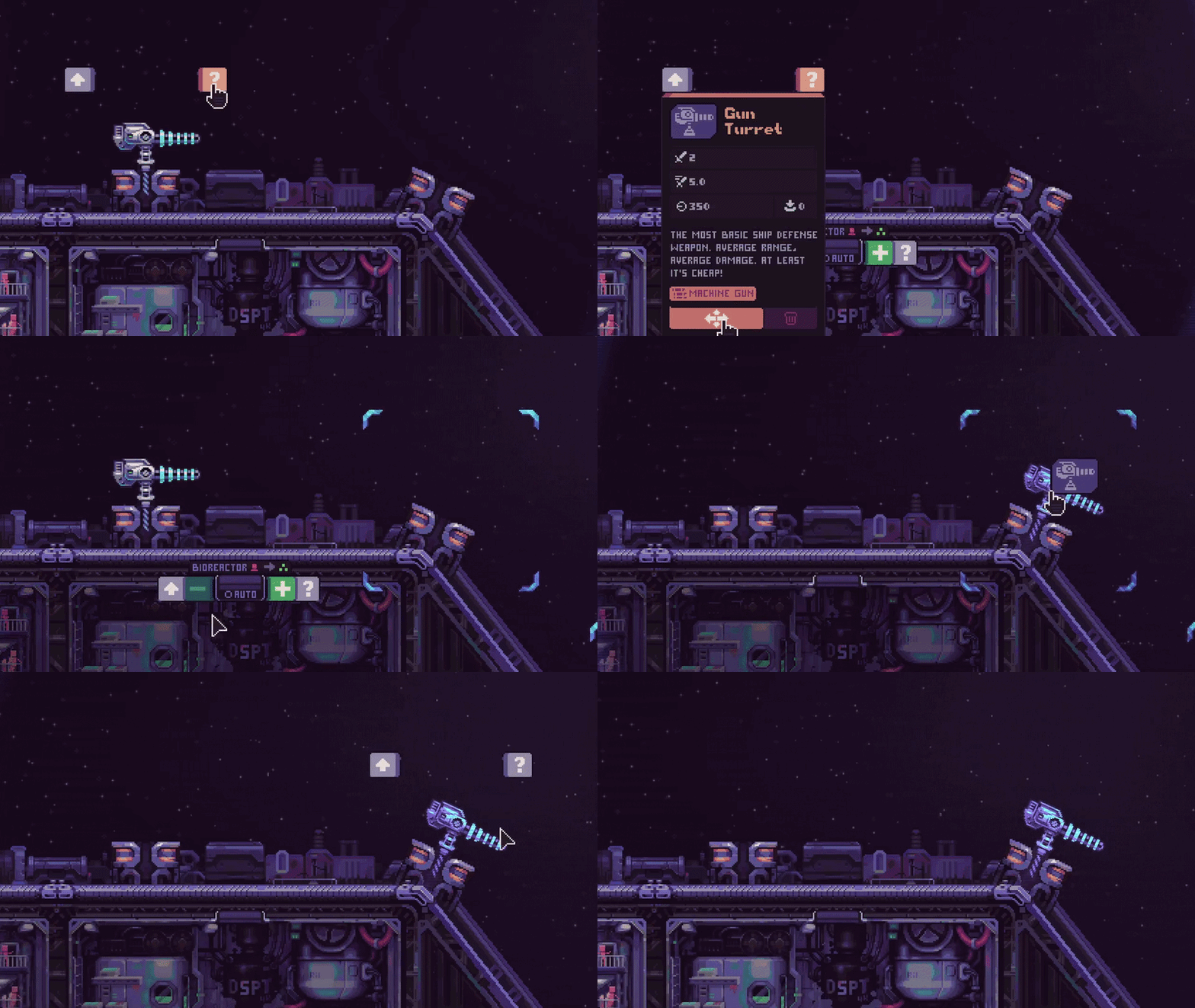
Move: four arrows, bottom left. Demolish: trash can, bottom right. The shown gun statistics belong to this example only. Choose a new position along the hull. The official demonstration moves the selected turret from a flat stretch to the corner on the right. Keep your other defenses in place while relocating: this is a layout adjustment, not an instant way to chase a boss.
 Enlarge ↗
The complete menu-to-placement sequence. The clip does not establish a universal movement or cooldown duration. Wait for the move and its downtime to finish before relying on the gun at its new position. The developer describes relocation as very slow and adds downtime afterward; no exact duration was published in these notes.
Use relocation when a weak turret occupies a strong position and you want to keep the old gun. Use demolition only when you need the construction resources or space more than that kit. The Demo treats turrets, production modules and hull blocks differently.
What you can change in the updated Demo Object Move? Demolish? Turret Yes, free but slow; downtime follows Yes. All construction resources returned; kit lost. Module Not in this Demo update Yes. All construction resources returned; kit lost. Placed hull block No rotation after placement Cannot be destroyed.
How to tell it worked
The turret is at the selected new position and becomes available after its relocation downtime. Your original kit was preserved because you moved the gun rather than demolished it.
If it does not work
If you cannot find Move, confirm you selected a turret and opened its ? panel. The absence of a module Move option is expected in this Demo. If a turret has just been moved and is idle, allow its downtime to finish. When the move option is unclear, close the panel and reselect the gun before choosing either bottom button.