Task guide / Steam Demo · September–October 2026
How to read production rates and trace a stall
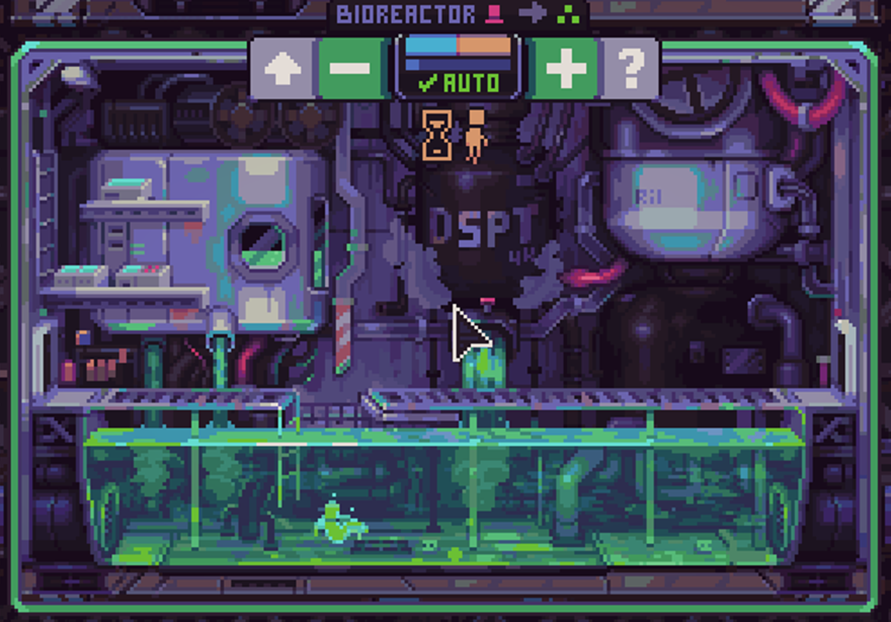
Enter Info Mode using the bar-chart control at the lower left. The numbers under resource totals describe the current production rate per minute, not a forecast. When a line stalls, check its available inputs, workforce and energy before expanding. For a converter such as the Bioreactor, Auto can maintain the human queue.
Updated 2026-10-30 · Steam Demo · September–October 2026
Follow these steps
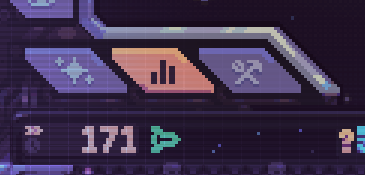
Open Info Mode with the lower-left bar-chart control. In the September screenshot it is the highlighted middle tab beside the ship views.
 Enlarge ↗
The highlighted bar-chart tab selects Info Mode. Read the rate beneath the resource total. A rate can look healthy now and still fall later if its input runs out or a production cap is reached. Use it to see what the ship is doing at this moment, then check the stocks that keep that rate running.
 Enlarge ↗
Resource totals sit on the top line; Info Mode adds current production figures underneath. These values are from the developer’s example run. Trace the shortage before building more. Start with the resource you are missing and check the module that makes it, then its required inputs and crew. Extra modules also increase weight and pressure on energy and fuel, so another copy can worsen a shortage rather than cure it.
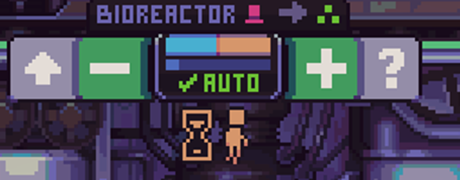
A practical check order What you see What to check next An input stock is empty Restore the resource feeding this production step before adding downstream capacity. A module has too few workers Compare the available workforce with the staffing you are assigning. Expansion coincides with an energy or fuel shortage Review the new module’s demand and the heavier ship’s travel needs. Output stops at a cap Check the production cap before treating the rate as a promise of further stock. A human-fed converter waits for another assignment Check its Auto setting and the available human supply. For converter micromanagement, select the converter and use AUTO between the minus and plus workforce controls. September’s implementation sends two humans to the Bioreactor and dispatches another when only one remains in the queue. Keep the wider workforce in mind: humans also staff production and defenses.
 Enlarge ↗
AUTO sits between minus and plus. This close-up is from the July official preview; converter automation shipped in the September Demo update. The full screenshot is linked under Sources. Read the income again after the crew or supply change and watch the affected stock. Adjust one constraint at a time so you can tell which change helped.
How to tell it worked
The affected module has the supply and staffing it needs, the resource begins producing again, and its supporting stock is not immediately exhausted. An enabled AUTO indication shows that the converter automation setting is on; it does not guarantee an unlimited supply of humans.
If it does not work
If the rate falls again, revisit its input stock and the cap rather than assuming the earlier number was wrong. If Auto has not restored production, check the human supply and the rest of the economy. If the missing production module is a kit problem, use the kit-acquisition guide next.